 DayTone
Your iPhone alarm is usually quiet because the alarm volume is turned down, and that volume is separate from the one you use for videos. Open Settings, tap Sounds & Haptics, and drag the alarm slider to the right. On iOS 27 it's the slider under Alarms and Timers; on iOS 26 and earlier it's the one under Ringtone and Alerts.
If the slider was already up, something else is turning the alarm down: the volume buttons, the Face ID attention feature, a tone that's gentle by nature, or something covering the speaker. This guide goes through each one, likely causes first, then shows a two-minute test so you know it worked.
Set the alarm volume
The alarm doesn't follow your media volume. Turning a video up or down doesn't change it, so a phone that blasts music can still ring softly at 6:30.
- Open Settings and tap Sounds & Haptics.
- On iOS 27, find Alarms and Timers and turn off Match Ringtone Volume. A slider appears: drag it to the right. If you leave that switch on, the alarm follows the slider under Ringtone.
- On iOS 26 and earlier, drag the slider under Ringtone and Alerts to the right. A sample tone plays as you move it, so you can hear the level.
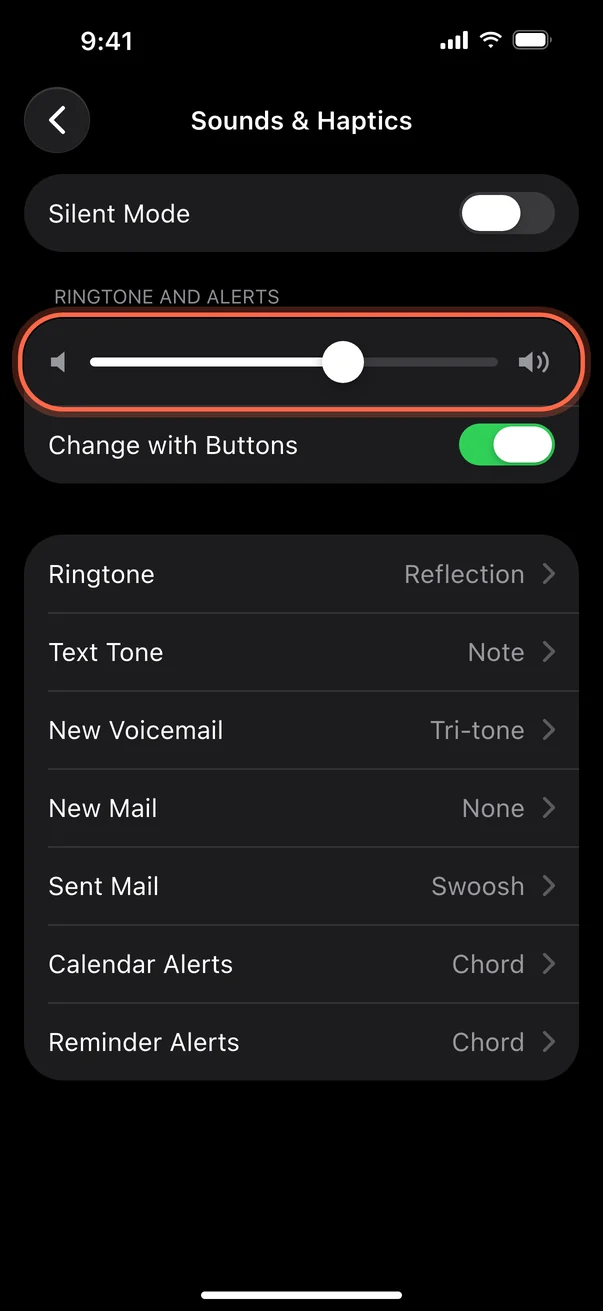
Apple describes the steps in How to set and change alarms on your iPhone and Change sounds and vibrations on iPhone. The sleep schedule's wake-up alarm is the exception: it keeps its own volume, which is covered below.
Turn off Change with Buttons
In the same Sounds & Haptics screen, Change with Buttons lets the side volume buttons change the alarm volume as well (Apple Support). It sounds handy. It also means a stray press of volume down, in bed or in a pocket, lowers tomorrow's alarm without telling you.
If you don't need it, turn it off, set the slider once and leave it. On iOS 27 this switch sits under Ringtone and only moves the alarm volume while Match Ringtone Volume is on.
Check Attention Aware Features
On iPhones with Face ID, the front camera checks whether you're looking at the phone, and Apple says it can then lower the volume of some alerts (Apple Support). Apple doesn't name alarms, and it only acts while you're looking at the screen, so it explains a quieter alarm you glanced at, not one that rang softly from the nightstand.
To rule it out, open Settings, tap Face ID & Passcode, and turn off Attention Aware Features for a few nights. The same switch is under Settings, Accessibility, Face ID & Attention. Leave Require Attention for Face ID alone: that one is a security setting and has nothing to do with alarms.
Pick a sound that carries
Not every tone sounds equally loud at the same volume. A soft, low tone at full volume can still be easier to sleep through than a sharp one at half.
- In Clock, tap Alarms, then tap the alarm.
- Tap Sound and tap different tones under Ringtones to hear each one.
- Choose one that's clearly audible from across the room, then tap Save.
Also check the sound isn't set to None. An alarm with no sound only vibrates, which is hard to tell apart from "too quiet" when you wake up groggy. Our guide to changing the alarm sound on iPhone has the full steps, including using a song.
If it's the sleep schedule alarm
An alarm under Sleep | Wake Up at the top of the Alarms screen belongs to your sleep schedule. It has its own sound and volume, so the sliders above don't change it.
- In Clock, tap Alarms, then tap Change next to the wake-up alarm.
- Scroll to Alarm Options and check the volume slider and Sounds & Haptics.
- Tap Done.
Apple covers this in Change your wake up alarm in Clock on iPhone. If you'd rather check one set of settings, turn the sleep schedule off and set a regular alarm in Clock.
Check what's between the speaker and your ear
Settings aren't always the cause. These take a minute:
- The case or a pillow. The speaker is on the bottom edge. A thick case, a pocket in a case or a phone lying face down on soft bedding can muffle it. Move the phone to a hard surface and hear whether it changes.
- Dust in the speaker grille. Lint builds up over time. A dry, soft brush is enough; don't push anything sharp into the holes.
- Headphones or a Bluetooth speaker. Apple says that with headphones connected, the alarm plays through the iPhone speaker and the headphones (Apple Support). If you sleep with earbuds in, the alarm plays in them at the alarm volume. To rule Bluetooth out, open Settings, tap Bluetooth and turn it off for one night.
Test it properly
Don't test with a video playing. Do this instead:
- Set an alarm for two minutes from now with your normal setup: phone where it sleeps, case on, charger plugged in.
- Lock the phone and put it down. Walk to where your head is at night.
- Listen. If it's still too quiet, raise the slider one notch and repeat.
Alarms set in Clock still ring in Silent mode and with Do Not Disturb or another Focus on (Set an alarm in Clock), so the Ring/Silent switch isn't the problem. If the alarm doesn't ring at all, see why an iPhone alarm doesn't go off.
When the iPhone's maximum isn't enough
Sometimes the alarm is already at its maximum and you still sleep through it. The fix then is a different kind of sound, not a higher number: a tone that changes, or an alarm from an app that isn't the same every morning.
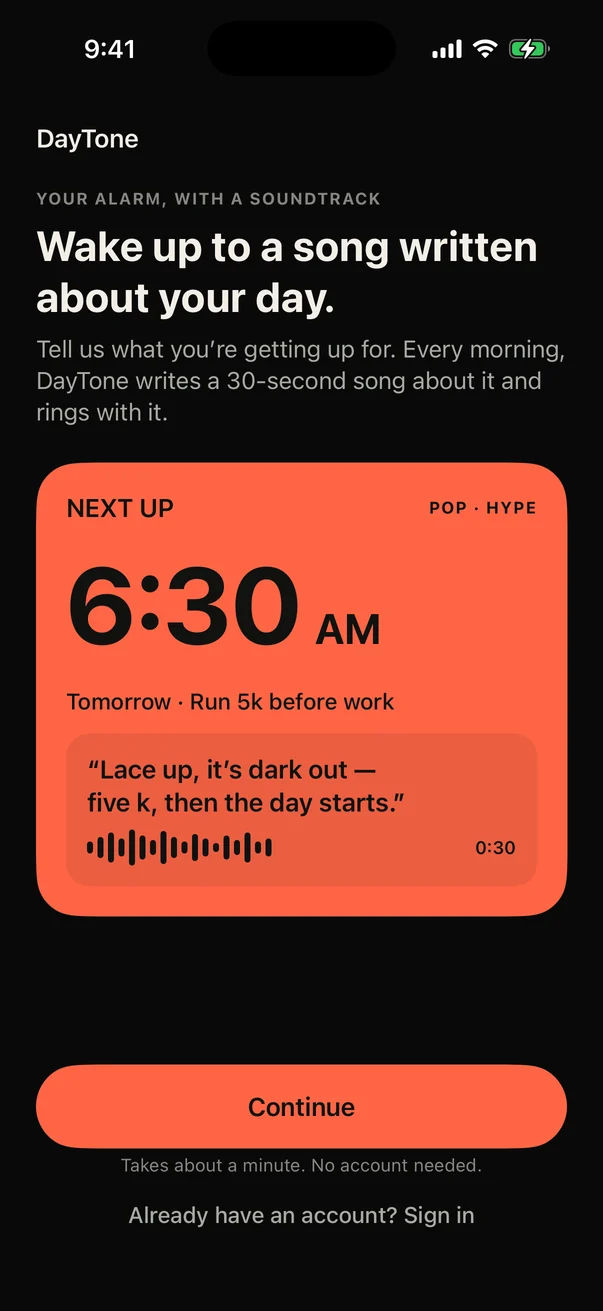
Since iOS 26, apps built on Apple's AlarmKit can ring as real alarms, through Silent mode and Focus, just like the Clock app. DayTone (iPhone, iOS 26.1 or later) is one of them. Each alarm can wake you with a short, original AI-made song written around the goals you set, and a backup sound is stored on the phone before every alarm. It can't make the iPhone louder than its own volume setting, so turn that volume up whichever alarm you use.
If you often sleep through alarms that you can hear are loud, or you have trouble waking, it may be worth talking to a doctor.
Quick answers
Why is my iPhone alarm so quiet?
Its own volume is probably low, or Change with Buttons lowered it. Check the slider under Alarms and Timers (iOS 27) or Ringtone and Alerts (iOS 26 and earlier) in Settings, Sounds & Haptics.
Does the media volume change the alarm volume?
No. Media volume never changes the alarm.
Can I make my iPhone alarm louder than the maximum?
No. The slider's maximum is the limit, for Clock alarms and for other alarm apps alike. Pick a sharper tone or move the phone to a hard surface.
Why does my alarm only vibrate?
Its sound is probably set to None. Open the alarm, tap Sound and choose a tone.